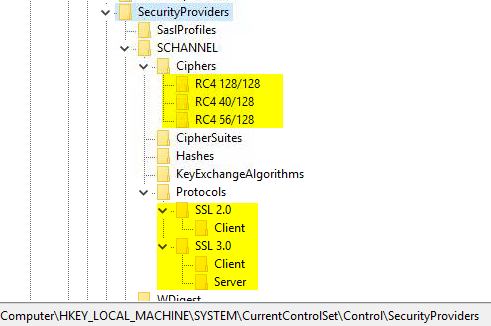
A couple of weeks ago I recognized new registry keys the SCHANNEL settings of the Windows 2016 Azure Marketplace image. Those setting are different from a manually deployed and updated Windows machine!
The newly created registry keys disable the following ciphers and protocols
Ciphers RC4 128/128 RC4 40/128 RC4 56/128 Protocols SSL 2.0 Client SSL 3.0 Client/Server First of all: The settings changed are regarding old ciphers and protocols that should be disabled in any secure environment after all!
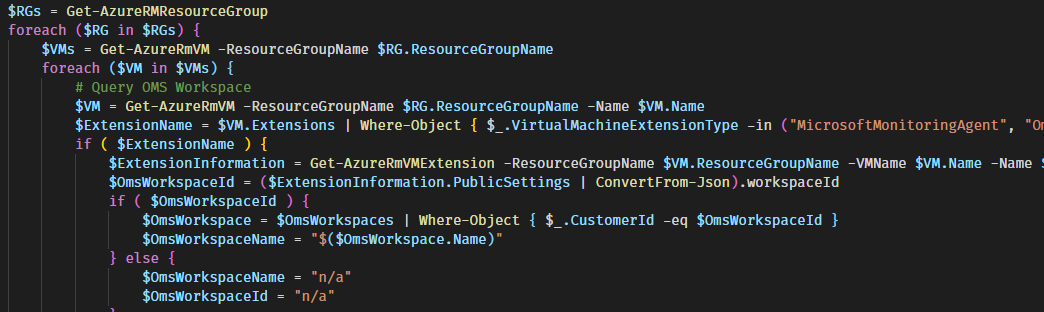
Sometimes you just need to know to which Log Analytics Workspace (OMS for the old folks out there) a VM send it’s data to. Or even all of you Azure VMs an once.
With the following script this task is easy as pie. And thanks to RamblingCookieMonster and his PSExcel modul you can send the result straight to everybody who is fond of Excel.
ReportLogAnalyticsWorkspacePerVM.ps1 #region Report: All VMs including the status, and OMS workplace $Subscriptions = Get-AzureRmSubscription | Where-Object { $_.
When searching in Log Analytics, matches regex can be very helpful. By default, the Regular Expression Case is Sensitive. To change this, the parameter i must be passed.
Here is a sample query that searches the IIS logs for logs from a particular computer.
W3CIISLog | where ( Computer matches regex "(?i)MyCoMpUtEr" ) // (?i) = Case insensitive
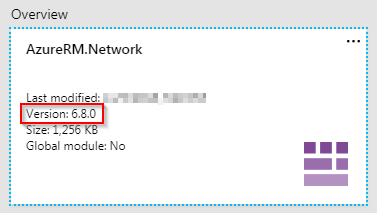
If you are using Azure Automation and use the AzureRM.Network module in one of the versions from 0.9.0 to min. 0.10.0, you may experience problems running Azure Automation Runbooks.
If the runbooks used are more complex overall, this version may result in a high memory load. If more than 400 MB RAM are used, the runbook ends after three attempts in the status “Suspended”.
Failure The runbook job was attempted 3 times, but it failed each time.
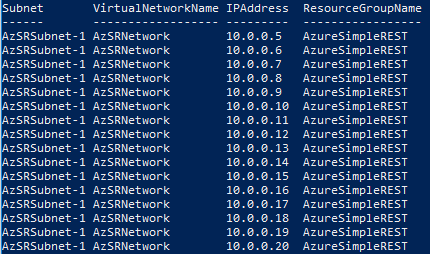
Whether with automated deployment or when creating a load balancer in Azure. Finding a free IP address is unfortunately not an easy task with the existing cmdlets.
Test-AzureRmPrivateIPAddressAvailability
A popular way to archive that is to use the cmdlet Test-AzureRmPrivateIPAddressAvailability. It returns the value TRUE or FALSE when specifying the network and an IP address. Some people now loop through every network address in a subnet until a free IP address is confirmed by TRUE.
Although Microsoft does a great job with their AzureRM Modul module, there are always reasons not to use these cmdlets. In most cases because they are slower than direct requests against the Azure REST API. In other cases because certain functionality has not yet been implemented.
The module AzureSimpleREST written by me positions itself in this gap
The module contains e.g. functions like “Get-AzSRVMProtectionStatus” which uses an officially documented REST Call, but I don’t know any AzureRM cmdlet that provides this function.